Summary
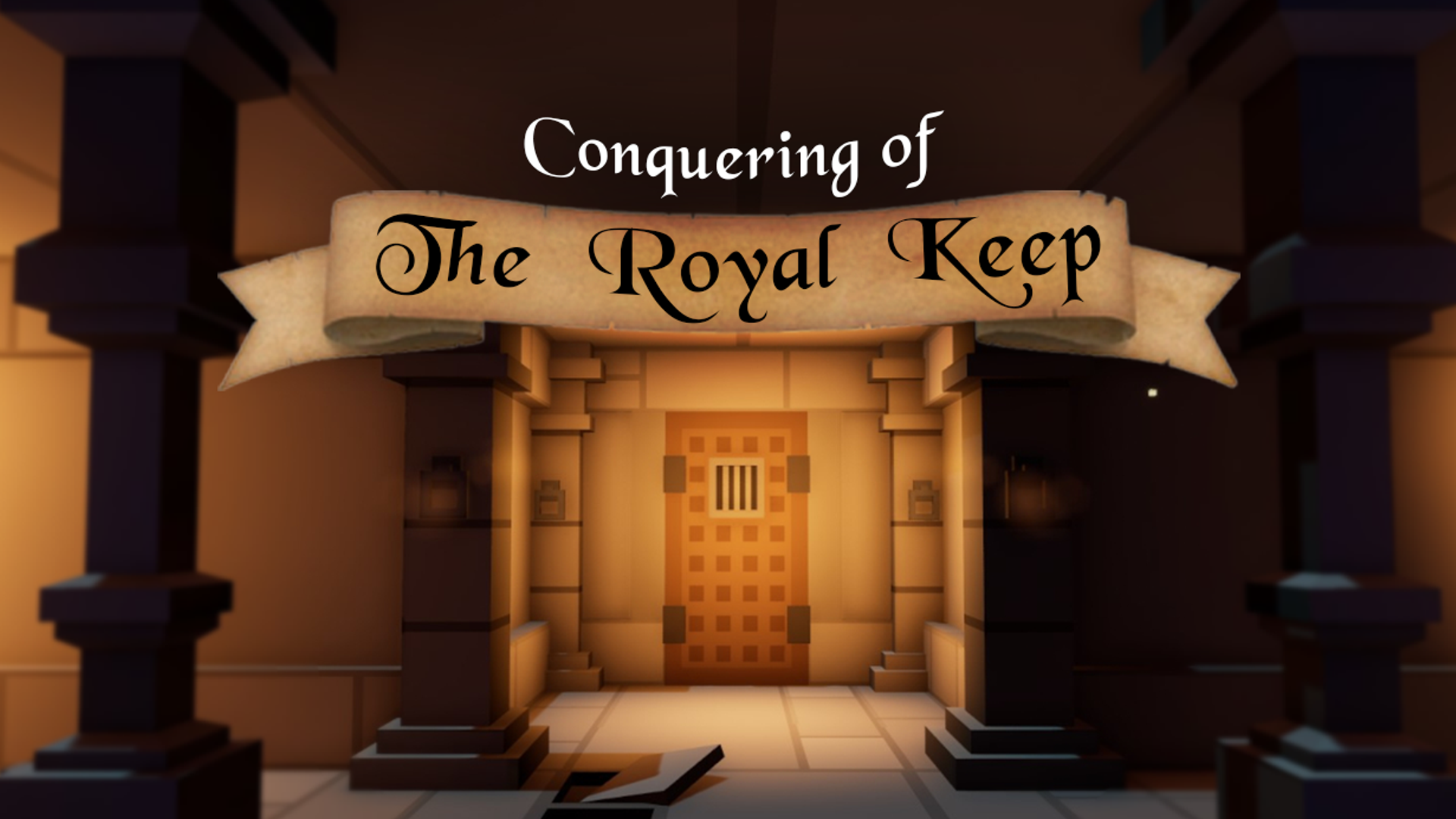
Conquering of the Royal Keep is a decision driven, visual novel game in which the player takes on the persona of a squire of the Royal Guard, entering their final stage of training to become a full knight. However, there is more to the Royal Keep that meets the eye. As the squire makes their way through the trials and tribulations set forth by their last task, it is soon noticed that something about this keep is wrong, and the squire must face their death time and time again until they can finally conquer the mysteries of the Royal Keep.
Contributions & Responsibilities
- Scripted gameplay and dialogue systems in Python using Ren’Py engine.
- Designed and Scripted navigation and puzzle mechanics.
- Designed and Implemented interactive image buttons using Photoshop.
- Conducted comprehensive QA testing, debugging, and performance optimization to deliver a polished final build.
Dialouge and QTE mechanics
- init offset = -5
- default rotate_speed = 1.4
- default chest_unlocked = False
- default current_rotation = 0
- default chest_unlock_tries = 3
- default randomno = renpy.random.randint(1,360)
- init python:
- def update_rotation(trans, st, at):
- current_rotation = (st * 360 / rotate_speed)%360
- trans.rotate = current_rotation
- return 0
- def safezone_check(current, target, lowerlimit, upperlimit):
- diff = (current - target + 180) % 360 - 180
- return -lowerlimit < diff < upperlimit
- def check_slider():
- if safezone_check(current_rotation,randomno,20,25):
- renpy.store.chest_unlocked = True
- renpy.play("sound_effects/sfx_Puzzle2_Success.mp3", channel="sound")
- renpy.jump("CtRK_lavatrapRoom_camera2")
- else:
- renpy.store.chest_unlock_tries -= 1
- def reset_puzzle():
- renpy.store.randomno = renpy.random.randint(1,360)
- renpy.store.rotate_speed = 2
- renpy.store.chest_unlock_tries = 3
- renpy.store.chest_unlocked = False
- screen solve_puzzle():
- modal True
- if chest_unlocked:
- timer 0.1 action [Hide("solve_puzzle"),Function(reset_puzzle)]
- elif not chest_unlocked and chest_unlock_tries>0:
- frame:
- background "#FFFFFF"
- add safe_zone_image at rotate_random
- add slider_image at rotating
- key "mousedown_1" action [Function(check_slider)]
Refactoring Code
This section talks about how I refactred the code to have a more modular and flexible structure
- screen CtRK_sawtrapRoom_camera1_nav():
- modal True
- imagebutton auto "bg_general_moveback_%s":
- focus_mask True
- hover_sound "sound_effects/sfx_SingleTapStone2.mp3"
- action [Jump ("CtRK_torchRoom_camera5")]
- imagebutton auto "bg_sawtraproom_camera1_camera2wall_%s":
- focus_mask True
- hover_sound "sound_effects/sfx_SingleTapStone2.mp3"
- hovered [Notify ("Lever1")]
- action [Jump ("CtRK_sawtrapRoom_camera2")]
- imagebutton auto "bg_sawtraproom_camera1_hallway1_%s":
- focus_mask True
- hover_sound "sound_effects/sfx_SingleTapStone2.mp3"
- hovered [Notify ("Camera 8")]
- action [Jump ("CtRK_sawtrapRoom_camera8")]
- imagebutton auto "bg_sawtraproom_camera1_hallway2_%s":
- focus_mask True
- hover_sound "sound_effects/sfx_SingleTapStone2.mp3"
- hovered [Notify ("Camera 7")]
- action [Jump ("CtRK_sawtrapRoom_camera7")]
- imagebutton auto "bg_sawtraproom_camera1_hallway3_%s":
- focus_mask True
- hover_sound "sound_effects/sfx_SingleTapStone2.mp3"
- hovered [Notify ("Hallway 1")]
- action [Jump ("camera3_hallway")]
- imagebutton auto "bg_sawtraproom_camera1_hallway4_%s":
- focus_mask True
- hover_sound "sound_effects/sfx_SingleTapStone2.mp3"
- hovered [Notify ("Hallway 2")]
- action [Jump ("CtRK_sawtrapRoom_camera4")]
- if lever2_activated:
- imagebutton auto "bg_sawtraproom_camera1_hallway5_trapdeactivated_%s":
- focus_mask True
- hover_sound "sound_effects/sfx_SingleTapStone2.mp3"
- hovered [Notify ("Hallway 3")]
- action [Jump ("CtRK_sawtrapRoom_camera5")]
- else:
- imagebutton auto "bg_sawtraproom_camera1_hallway5_trapactive_%s":
- focus_mask True
- hover_sound "sound_effects/sfx_SingleTapStone2.mp3"
- hovered [Notify ("Hallway 3")]
- action [Jump ("CtRK_sawtrapRoom_camera5")]
- if lever3_activated and lever5_activated:
- imagebutton auto "bg_sawtraproom_camera1_hallway6_trapdeactivated_leverdown_%s":
- focus_mask True
- hover_sound "sound_effects/sfx_SingleTapStone2.mp3"
- hovered [Notify ("Hallway 4")]
- action [Jump ("CtRK_sawtrapRoom_camera6")]
- elif lever3_activated and lever5_activated == False:
- imagebutton auto "bg_sawtraproom_camera1_hallway6_trapdeactivated_leverup_%s":
- focus_mask True
- hover_sound "sound_effects/sfx_SingleTapStone2.mp3"
- hovered [Notify ("Hallway 4")]
- action [Jump ("CtRK_sawtrapRoom_camera6")]
- else:
- imagebutton auto "bg_sawtraproom_camera1_hallway6_%s":
- focus_mask True
- hover_sound "sound_effects/sfx_SingleTapStone2.mp3"
- hovered [Notify ("Hallway 4")]
- action [Notify ("That way is blocked...")]
- ################################################# List of Actions
- default spyroom_camera1_moveback_actions = [Jump("CtRK_spyRoom_camera2")]
- default spyroom_camera1_bookshelf_actions = [Jump("spyRoom_camera1_bookshelf_script")]
- default spyroom_camera1_chest_actions = [Jump("spyRoom_camera1_chest_script")]
- default spyroom_camera1_rug_actions = [Jump("spyRoom_camera1_rug_script")]
- default spyroom_camera1_box_actions = [Jump("spyRoom_camera1_box_script")]
- default spyroom_camera2_moveback_actions = [Jump("CtRK_spyRoom_camera1")]
- default spyroom_camera2_door_actions = [Jump("CtRK_lavatrapRoom_camera6")]
- ################################################# List of Image buttons
- default spyroom_camera1_moveback = imageButtonRef("bg_general_moveback", True, "", spyroom_camera1_moveback_actions, True)
- default spyroom_camera1_bookshelf = imageButtonRef("bg_spyroom_camera1_bookshelf", True, "", spyroom_camera1_bookshelf_actions, True)
- default spyroom_camera1_chest = imageButtonRef("bg_spyroom_camera1_chest", True, "", spyroom_camera1_chest_actions, True)
- default spyroom_camera1_rug = imageButtonRef("bg_spyroom_camera1_rug", True, "", spyroom_camera1_rug_actions, True)
- default spyroom_camera1_box = imageButtonRef("bg_spyroom_camera1_box", True, "", spyroom_camera1_box_actions, True)
- default spyroom_camera2_moveback = imageButtonRef("bg_general_moveback", True, "", spyroom_camera2_moveback_actions, True)
- default spyroom_camera2_door = imageButtonRef("bg_spyroom_camera2_door", True, "", spyroom_camera2_door_actions, True)
- ################################################# List of Cameras
- default spyroom_camera1 = room([ spyroom_camera1_box,
- spyroom_camera1_rug,
- spyroom_camera1_chest,
- spyroom_camera1_bookshelf,
- spyroom_camera1_moveback])
- default spyroom_camera2 = room([ spyroom_camera2_door, spyroom_camera2_moveback])
- #################################################
- screen spyRoom_nav(RoomRef):
- modal True
- for imageButton in RoomRef.imageButtonRefs:
- if imageButton.isActive:
- imagebutton auto imageButton.image + "_%s":
- hover_sound "sound_effects/sfx_SingleTapStone2.mp3"
- focus_mask imageButton.focus_mask
- if imageButton.sound != "":
- activate_sound imageButton.sound
- action imageButton.actions
-
Research Summary
When developing Conquering of the Royal Keep, my process was shaped by rapid prototyping guidelines from Taylor’s (2022) GDC talk, How to Create Rapid Prototypes, including shortening design loops and exposing critical problems early in the development stage (Black Banshee Studios, n.d.). I used these tactics when developing prototypes of time-based puzzles, levels, and various game mechanics (Black Banshee Studios, n.d.; Taylor, 2022). Following those guidelines streamlined my workflow for this project (Black Banshee Studios, n.d.; Taylor, 2022).
References
- Taylor, B. (2022). How to create rapid prototypes [Video]. Game Developers Conference. https://gdcvault.com/play/1028097/Game-Career-Seminar-How-to
- Black Banshee Studios. (2025). Conquering of the Royal Keep [Video game]. Black Banshee Studios. https://www.blackbansheestudios.com/